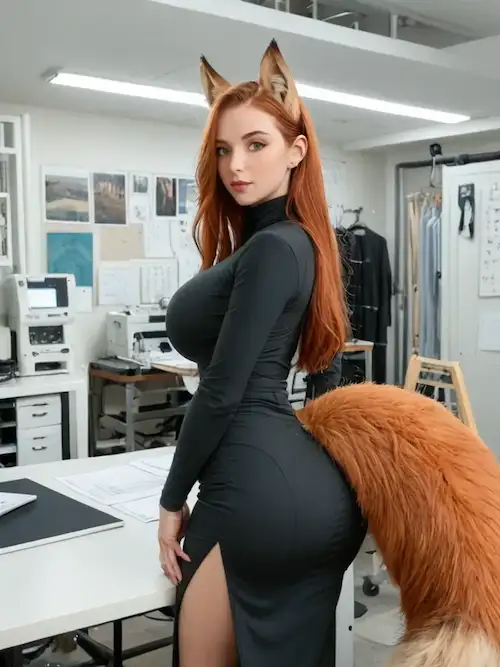


Image-to-Video × HD Generation

LeakifyHub AI Video Generator: Photos to Dynamic AI Content

More than 200,000 creators are currently using AI to transform static photos into fluid, high-definition animations in under thirty seconds. LeakifyHub provides immediate access to motion prediction models that bridge the gap between a still memory and a dynamic digital sequence.

0+
Active Creators
0s
Avg. Render Time
0+
Motion Presets
Before Source photo before AI processing
After ✨ AI-generated animation result
28s render
HD quality
Encrypted upload

The challenge often lies in maintaining facial identity and realism when adding movement to a single source image. We will examine how this browser-based platform handles secure rendering and customizable presets to help you generate professional visual content without technical friction.

01 — Overview

What Is LeakifyHub?

LeakifyHub is a browser-based AI platform that converts static images into realistic animated videos using motion prediction models. It preserves facial identity through cloud-rendering, offering HD exports and customizable animation presets for instant visual content creation.

Introduction to the AI video generation platform

Transforming a still image into a dynamic visual experience is now possible directly in your browser. This AI-powered rendering engine eliminates the need for expensive hardware. Users get instant access to high-end animation tools without any complex software installation.

The realistic movement generated by the platform feels surprisingly natural. You won't find the usual technical friction here. Everything flows smoothly from the moment you upload your file to the final render.

Creating animated visual experiences is no longer reserved for professional editors. Even total beginners can produce high-quality clips in seconds. It effectively bridges the gap between static photography and professional video production.

Cloud Engine LeakifyHub AI video generation interface sample

The core of this system lies in how it handles the transition from a flat photo to a living, breathing digital sequence.

Cloud Rendering

No high-end PC required. AI processing happens on remote GPUs and streams back in seconds.

Plug & Play

No prompt engineering. Upload, pick a preset, and the AI handles the heavy lifting.

Discreet by Design

AES-256 encrypted uploads, isolated sessions, anonymous generations. Your data stays yours.

Start your first generation in seconds

5 free credits delivered the moment you register. No credit card required to test the engine.

Try Free

02
Workflow

How LeakifyHub Works

Converting a photo into a clip isn't magic, but a structured pipeline that starts with the quality of your source file.

Uploading and Preparing Source Images

You start by uploading your image to the encrypted platform. It supports all common formats, using AI preprocessing and automatic enhancement to sharpen the details. This ensures the base is solid.

Next, the face and body detection systems scan the file. These algorithms map out specific points to prepare the static image for realistic motion. It is fast and secure.

Upload LeakifyHub upload and preprocessing sample

Selecting Animation Styles & Rendering

You then choose from over 20 motion presets and cinematic templates. These options range from subtle expressions to full transformations. You can also tweak the visual intensity settings to adjust the "energy" of the animation and match the specific vibe you want.

The cloud rendering pipeline takes over to process the data. Most generations finish in under 30 seconds, prioritizing speed without sacrificing the output. You get HD export options for your result, and the files are compatible with all major social media platforms.

1. Upload

Drop in your source image. AI preprocessing and auto-enhancement kick in immediately.

2. Select Style

Pick from 20+ cinematic presets — subtle micro-expressions to full transformations.

3. Render & Export

Under 30 seconds in the cloud queue, then instant HD download ready for any platform.


03
Features

Main Features of LeakifyHub

Beyond the basic upload, the platform packs specific tools designed to sharpen the output and make it look professional.

AI Video Creation Engine

Intelligent movement interpolation + natural facial expression synthesis + texture refinement and lighting correction. Every transition feels seamless and the skin looks real under any virtual light source.

20+ Animation Presets

Cinematic styles updated weekly:

  • Slow-motion
  • POV
  • Camera pans
  • Micro-expressions

HD Exports

Sharp textures, professional clarity. Premium unlocks enhanced quality.

Sub-30s Render

28s avg. queue

Image-to-Video Conversion

Upload a photo, the AI animates it while preserving the original facial traits — the most impressive feature on the platform.

GPU-Accelerated Cloud

200K+ creators served

The platform relies on GPU-accelerated processing. Time is money for creators — most generations finish in under thirty seconds without any lag, and premium priority generation bypasses the queue entirely.


HD Output Image-to-Video Cloud Rendering Plug & Play AES-256 Encryption 20+ Presets Credit System Priority Queue HD Output Image-to-Video Cloud Rendering Plug & Play AES-256 Encryption 20+ Presets Credit System Priority Queue

04 — Tech Stack

LeakifyHub AI Technology

The smoothness of the final render isn't accidental — it's the result of heavy-duty math happening in the background.

Motion Prediction Models

Temporal consistency is the secret sauce here. It prevents flickering between frames. This ensures that every generated second feels fluid and realistic.

Adaptive pose reconstruction plays a massive role. The AI intelligently guesses body positioning. It translates static limbs into natural, believable movement patterns.

Motion AI LeakifyHub motion prediction sample

Identity Preservation & Rendering Infrastructure

Stable face rendering is a non-negotiable priority. The subject must remain recognizable throughout — no one wants a blurry, shifting mess of features. AI reference conditioning acts as the anchor, locking in the original visual DNA so the transformation stays consistent with the initial photo.

The multi-stage AI generation pipeline is a layered beast — it processes data through specialized tiers, each step refining the image into a high-definition video. Cloud-based scaling handles the heavy lifting effortlessly, and the hardware manages complex computations in seconds.

You get professional results without needing a supercomputer — the heavy math is offloaded to dedicated GPU infrastructure designed for AI inference at scale.

Temporal Consistency

Frame-to-frame coherence prevents the flickering common in lower-tier AI generators.

Identity Anchor

Reference conditioning locks in facial DNA so the subject stays recognizable end-to-end.

GPU Cloud Scale

Dedicated inference hardware handles the heavy math. You bring the photo, we bring the silicon.


05 — Pricing

Membership and Credits

Accessing these tools depends on your needs, ranging from casual testing to high-volume production.

Free Access & Premium Benefits

New users get 5 free credits upon registration. This allows for limited daily generations to test the waters — the perfect entry point for the curious user. Free requests enter a standard rendering queue with some wait time during peak hours.

Upgrading unlocks high-definition video generation instantly. Processing speeds are significantly faster, bypassing the usual wait. Subscribers gain entry to an expanded style library with over 20 animation models, and new styles arrive every single week.

The platform uses a straightforward pay-as-you-go model. No long-term commitment is needed to start creating, and credits are delivered immediately after payment confirmation.

Pricing LeakifyHub pricing and credit packs sample
Free
Test the engine
$0/forever · 5 credits
  • 5 free credits at signup
  • Standard rendering queue
  • Image-to-Image basics
  • Limited daily generations
Start Free
Heavy User
Best unit price
$250/pack · 6,250 credits
  • 6,250 generation credits
  • Maximum rendering speed
  • Full preset library
  • Lowest per-credit cost
  • Priority support
Go Heavy
Plan Credits Key Benefit Target User
Free 5 Standard queue Casual testers
Starter Pack 8 HD & priority speed Power users
Heavy User 6,250 Best unit price Content creators

FaceSwap generation costs 5 credits · Full AI video costs 20 credits — every action is transparently priced before launch.


06 — Interface

Platform Interface and Accessibility

Power is nothing without control, and the interface ensures you don't need a PhD to navigate the settings.

User-Friendly Dashboard

The system features a drag-and-drop image upload. It simplifies the entire workflow. This focus on speed makes the creative process feel almost instant for every user.

You will find intuitive customization controls right away. Every setting is clearly labeled and accessible. This layout eliminates guesswork, allowing you to focus on the final visual result.

The platform relies on cross-platform browser support — no app, no install. It works directly through your preferred web browser on any modern device, and everything stays connected through cloud synchronization.

UI / UX LeakifyHub dashboard interface sample

Drag & Drop

Drop an image anywhere on the dashboard — preprocessing kicks in automatically.

Mobile Native

Full feature parity on iOS and Android. Add-to-Home-Screen for an app-like flow.

Cloud Sync

Start on PC, finish on phone. Generations and history travel with you.


07 — Privacy

Privacy, Security and Data Protection

Handling personal photos requires a serious approach to data — ensuring your media stays yours.

Secure AI Processing Environment

Your media uploads are protected by AES-256 encryption. This ensures every file remains secure during transit. Every generation happens in a private, isolated session — no one watches your drafts or final results. Your creative process stays strictly between you and the machine.

You maintain full authority over your generation history. The platform gives you the controls to decide what stays and when to wipe everything. The system uses automatic file handling to keep things organized — only the last 30 generations from the past three days are kept, ensuring clean, temporary storage.

AES-256 Encryption

Industry-grade encryption for every upload in transit and at rest.

Anonymous Sessions

Generations aren't tied to your personal identity. Each session is isolated.

Auto-Wipe Policy

Only the last 30 generations from the past 3 days survive. The rest is purged.

Privacy isn't a marketing line here — it's a structural design choice baked into how the inference pipeline and storage layer were built from day one.


08
Community

Community and Innovation

The platform evolves based on how users push the limits of these animation models.

Creative AI Video Trends

Creators are currently obsessed with viral AI animation formats. These short clips dominate social feeds — they turn static art into moving stories instantly. A community-driven style evolution is happening right now: users experiment with new prompts daily, and this collective creativity dictates which features we build next.

The dev team prioritizes enhanced realism updates every month, fine-tuning textures and lighting. The tech never stands still for a second. The goal is making the interface feel completely invisible — high-fidelity output is now the standard for every single generation.

Innovation in AI video isn't just about pixels; it's about the seamless bridge between a static memory and a dynamic future.

4.8 out of 5

Creator feedback consistently highlights the render speed under 30 seconds, the fidelity of facial preservation through motion, and the responsiveness of the priority queue for premium tiers.

The small print: clip duration stays short by design, and the credit economy rewards heavy users. Overall the platform delivers on its core promise — photo in, animation out, no friction.

Sub-30s Renders

Standard cloud queue beats most competitors before the premium boost.

Identity Stays Locked

Reference conditioning keeps the original face recognizable through every frame.

Active Dev Team

Weekly preset drops and monthly realism passes — the engine never goes stale.


FAQ

Frequently Asked Questions

Quick answers to the most common hurdles users face when starting out.

What is LeakifyHub used for?

LeakifyHub serves as a specialized AI platform designed to transform static images into fluid, realistic video animations. It focuses on creative modifications, allowing users to restyle photos, add effects, or utilize "undress" features for adult-oriented content generation.

Common use cases involve converting standard portraits into high-definition animations or generating variations of existing images through AI Image-to-Image styles.

Can I animate any image?

Yes, the platform is built to support all major image formats, ensuring broad compatibility for your uploads. Whether it is a professional shot or a casual photo, the AI engine is designed to process the visual data securely.

For the best results, use clear, high-resolution images. Quality tips suggest that well-lit photos allow the AI to better map movements and maintain realistic details during the animation process.

How fast are AI video generations?

Speed is a major focus here, with most generations reaching completion in under 30 seconds. The system is engineered for rapid processing, ensuring that your creative workflow remains uninterrupted by long waiting periods.

However, queue factors like server load or the complexity of the chosen animation model can occasionally influence timing. Premium users typically benefit from prioritized processing to bypass standard wait times.

Does LeakifyHub support HD exports?

Absolutely, the platform allows you to generate and download your final results in HD quality. This ensures that the intricate details and realism produced by the AI are preserved in the exported video file.

While standard quality is available, the premium tier offers enhanced settings — these upgrades provide even higher detail levels and professional-grade clarity for those who require the sharpest possible visual output.

What are the differences between free and premium plans?

The feature split is quite distinct; while the site is a powerful generator, content creation relies on a credit system. Premium access unlocks advanced quality parameters, specific "undressing" styles, and the ability to generate longer or more complex video animations.

Speed is the other big differentiator. Premium members enjoy faster rendering and priority in the generation queue, which is vital when the platform experiences high traffic from its 200,000 creators.

How do credits work on LeakifyHub?

Credits act as the platform's currency. For instance, a FaceSwap generation costs 5 credits, while a full AI video generation requires 20 credits. Every action has a transparent cost displayed before you start the process.

Top-up options are flexible, ranging from a $5 starter pack with 8 credits to a massive $250 pack containing 6250 credits. This allows you to scale your usage based on your specific project needs.

Is LeakifyHub mobile-friendly?

The entire experience is optimized for mobile browsers, ensuring a smooth workflow whether you are on a phone or tablet. The interface is designed to be responsive, making image uploads and prompt entries straightforward on smaller screens.

There is no app needed to use the service. By relying on a cloud-based browser workflow, LeakifyHub saves you from downloading extra software while maintaining full functionality on iOS and Android devices.

Are generated videos stored securely?

Security is handled through AES-256 encryption for all uploads, and images are processed in isolated environments. The platform operates with an anonymous approach, meaning generations are not linked to your personal identity.

Your deletion rights are automated. The system only retains the last 30 generations from the past 3 days; anything older is wiped from the servers automatically to protect your privacy.

Can I customize animation styles?

You can choose from over 20 different AI animation models, ranging from subtle movements to complete transformations. These presets allow you to dictate the flow and style of the video output based on your preference.

This variety offers significant creative freedom. With new styles added weekly, users can experiment with different prompts and models to achieve a specific look, from "latex" textures to "facial" animations.

Does LeakifyHub require software installation?

No installation is required because LeakifyHub is a purely cloud-native platform. All the heavy lifting and AI processing happen on their remote servers, so you don't need a powerful computer to generate HD videos.

The only browser requirements are a modern, updated version of Chrome, Firefox, Safari, or Edge. As long as your browser supports standard web technologies and cookies for session management, you are ready to go.

Bring your photos to life with LeakifyHub

LeakifyHub delivers high-speed AI video generation, transforming static images into realistic animations within seconds while ensuring total anonymity. Encrypted cloud rendering, 20+ motion presets, HD exports — start your creative journey today.

Claim 5 Free Credits